A real notebook
for your pen
Write, sketch and turn handwriting into text in notebooks that open like books and turn like paper. Made for Android tablets, phones and foldables, iPhone and iPad.
The iPhone and iPad app installs with Sideloadly or AltStore.
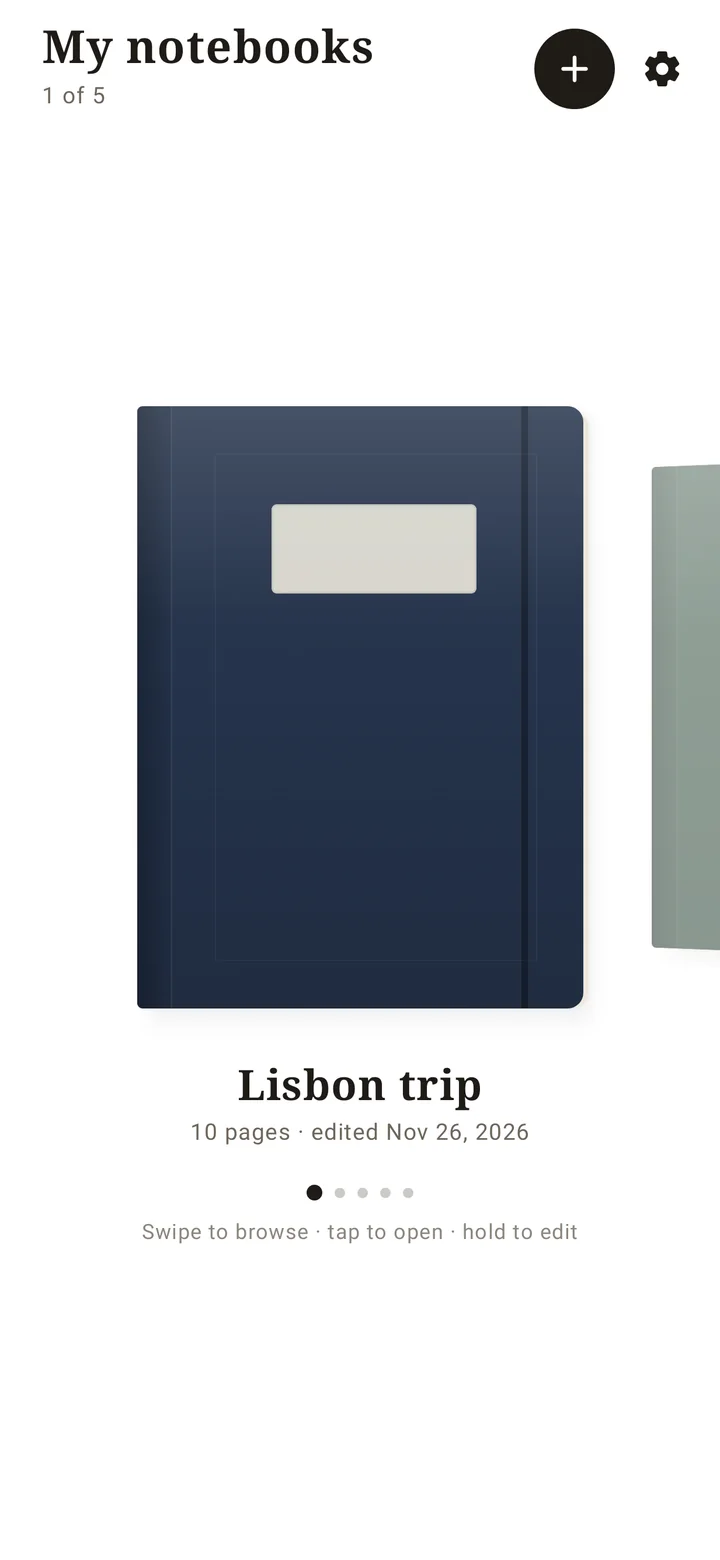
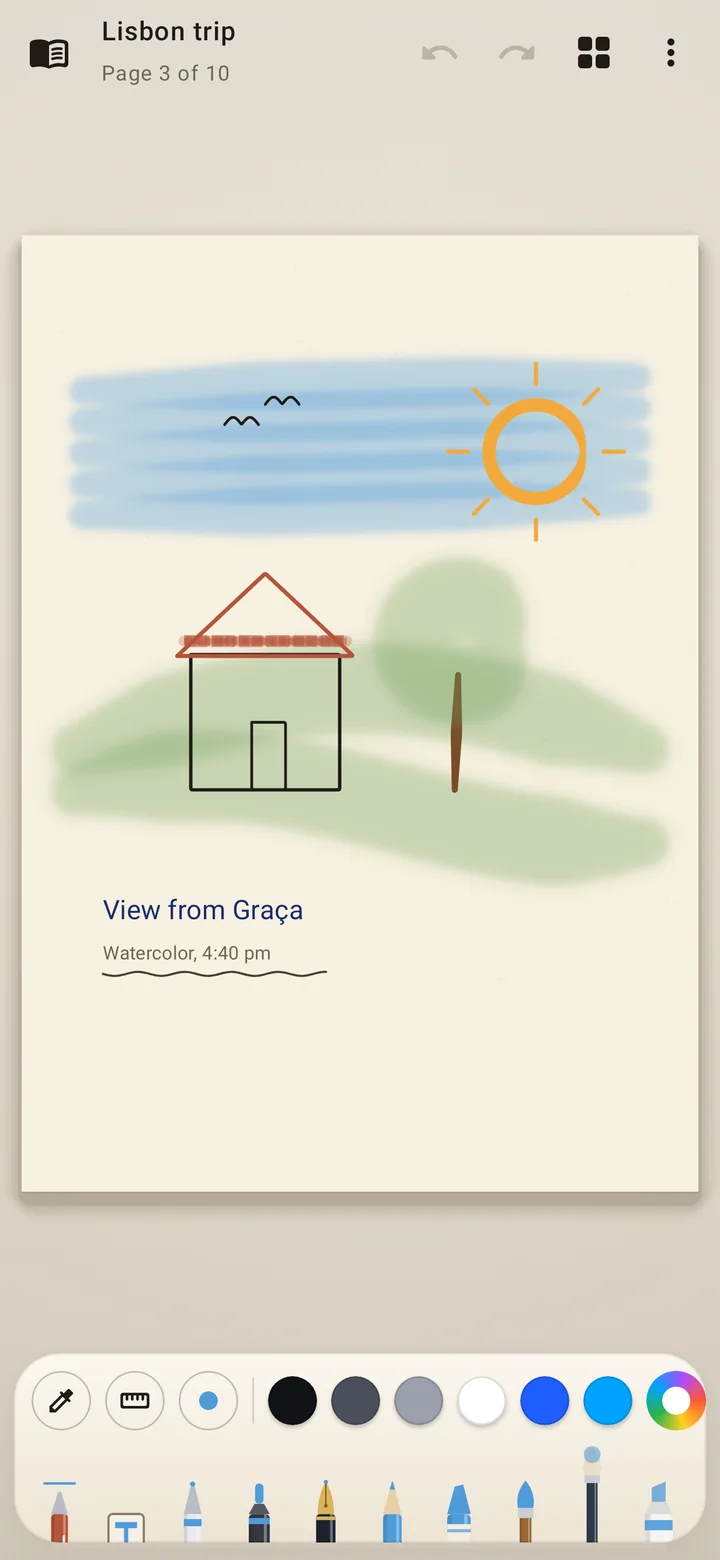
Every notebook opens like a book, turns like paper, and stays on your phone.
Most note apps feel like a document editor
Pages scroll forever, ink trails behind the pen, and your notes sit on someone else's server behind an account.
MK Draw starts from the notebook
Pick a notebook from your shelf, open it, turn to a page and write. Ten blank pages are ready in every new notebook, and everything is saved on your device.
Ink that feels like ink
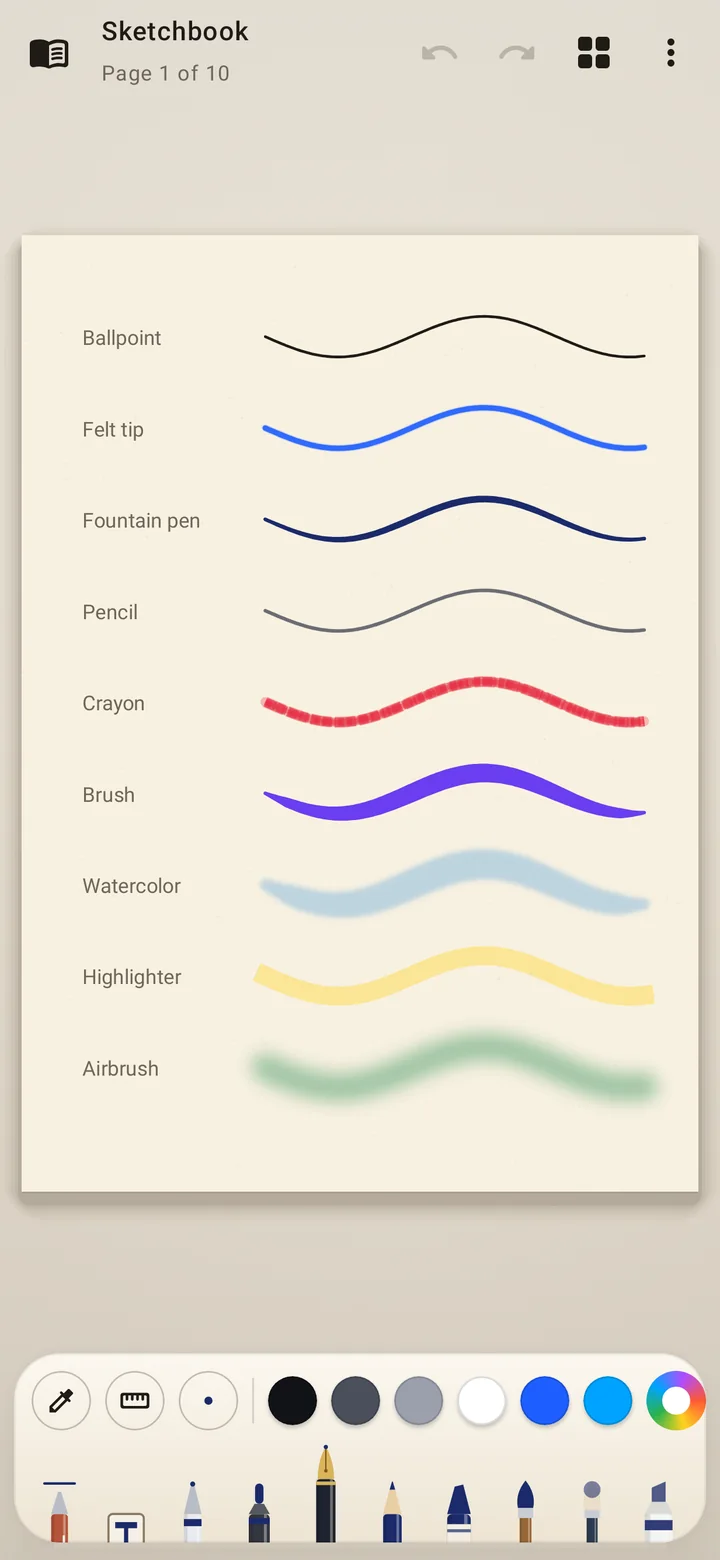
Twelve tools, from a fountain pen that thickens with pressure to a crayon with real paper grain and a soft watercolor wash.
- Pressure for styluses, and speed based line weight for fingers
- Palm rejection: let only the stylus draw
- Flip the stylus to erase, then undo anything
Write by hand, keep it as text
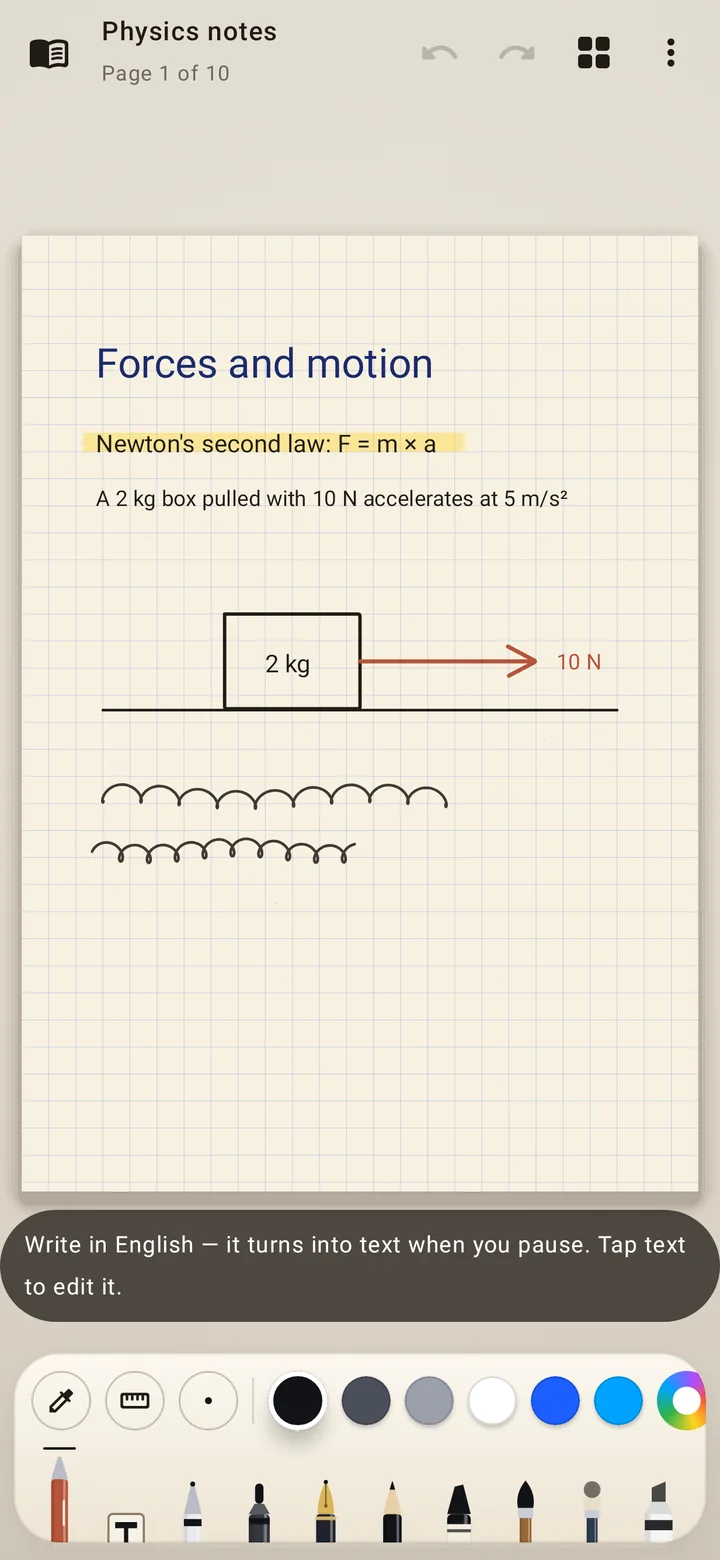
Choose the handwriting pen and write in English. When you pause, your words turn into typed text in the same place, size and color.
- Recognition runs on your device after a one time download of about 20 MB
- Scribble over a word to delete it
- Tap any text to correct it
Neat pages without a steady hand
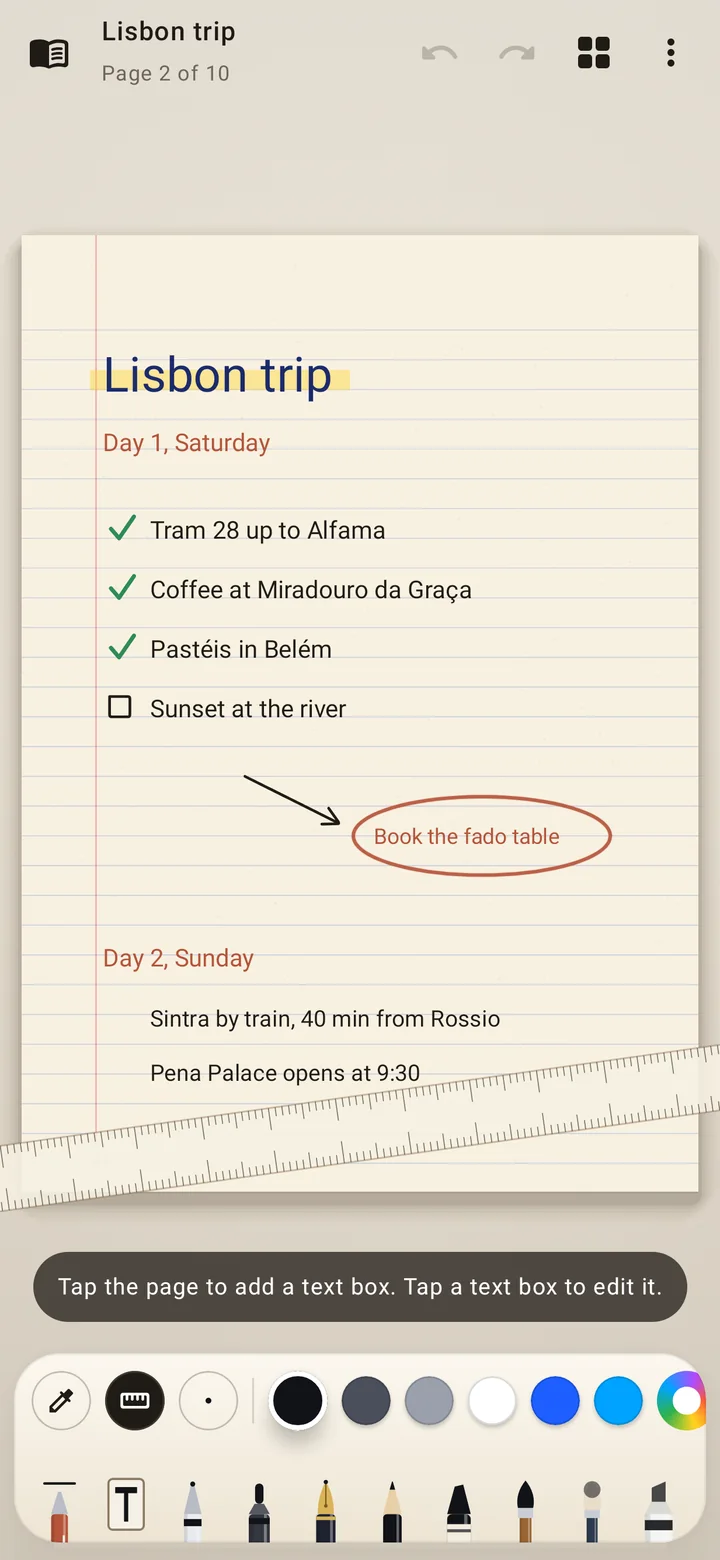
Draw a rectangle, circle, triangle, line or arrow and hold the pen still. It becomes a clean shape you can still move and recolor.
- A ruler you can drag and twist, with straight lines along its edge
- Text boxes in four sizes for titles and labels
- An eyedropper that picks up any color on the page
Move anything you wrote
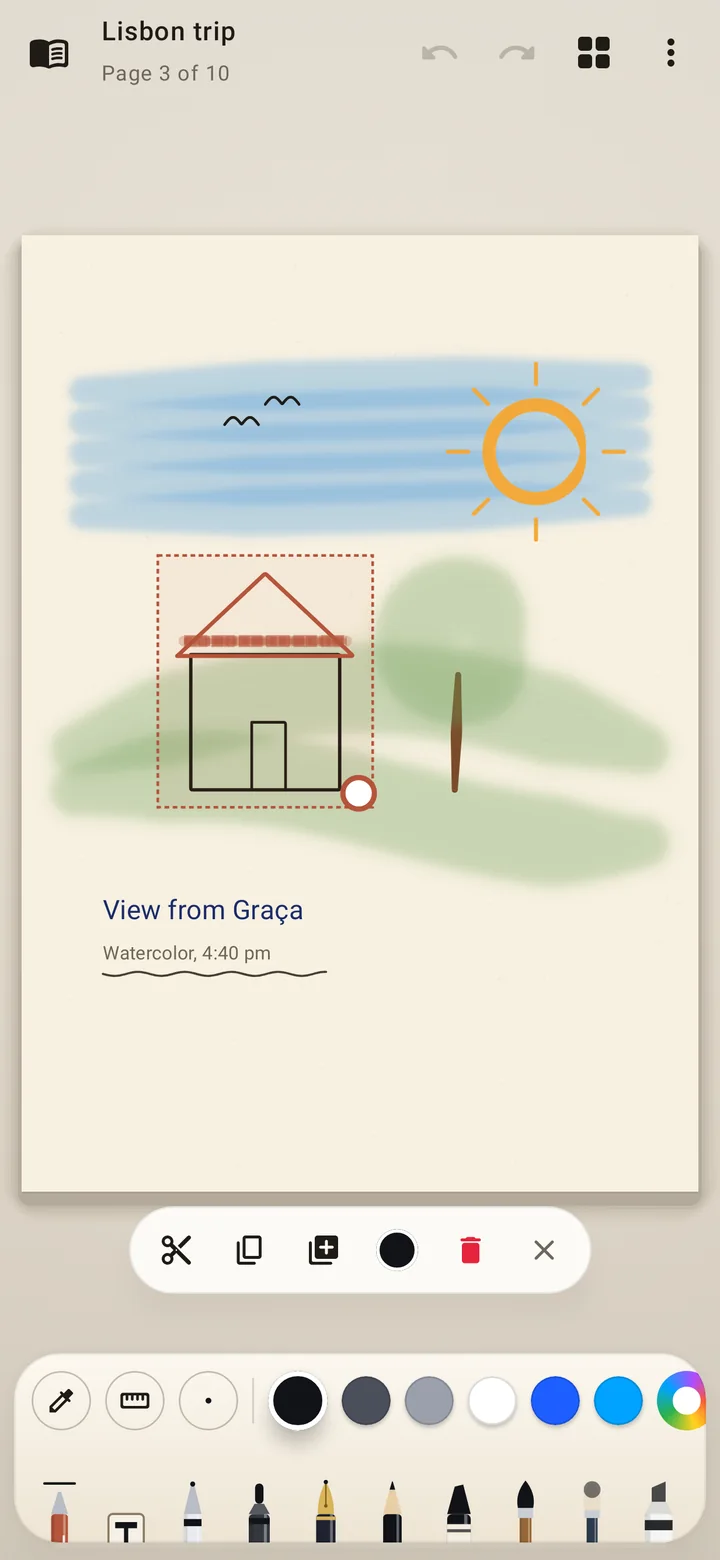
Loop the lasso around ink, photos or text to move it, resize it, recolor it, or copy it to another page.
- Cut, copy, paste and duplicate
- Drop photos from other apps straight onto the page
- Share a page as an image or a whole notebook as a PDF
Made for big screens and foldables
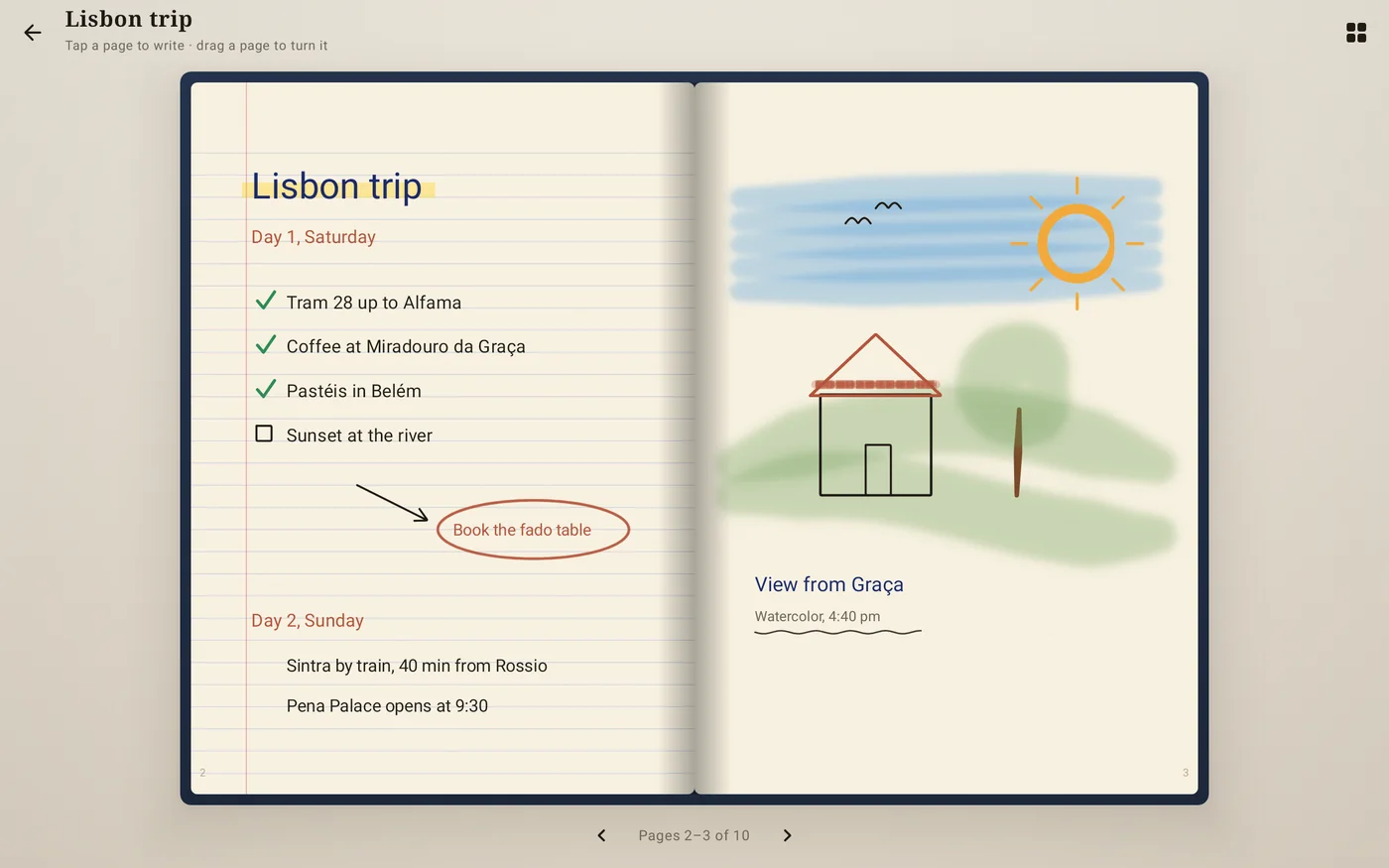
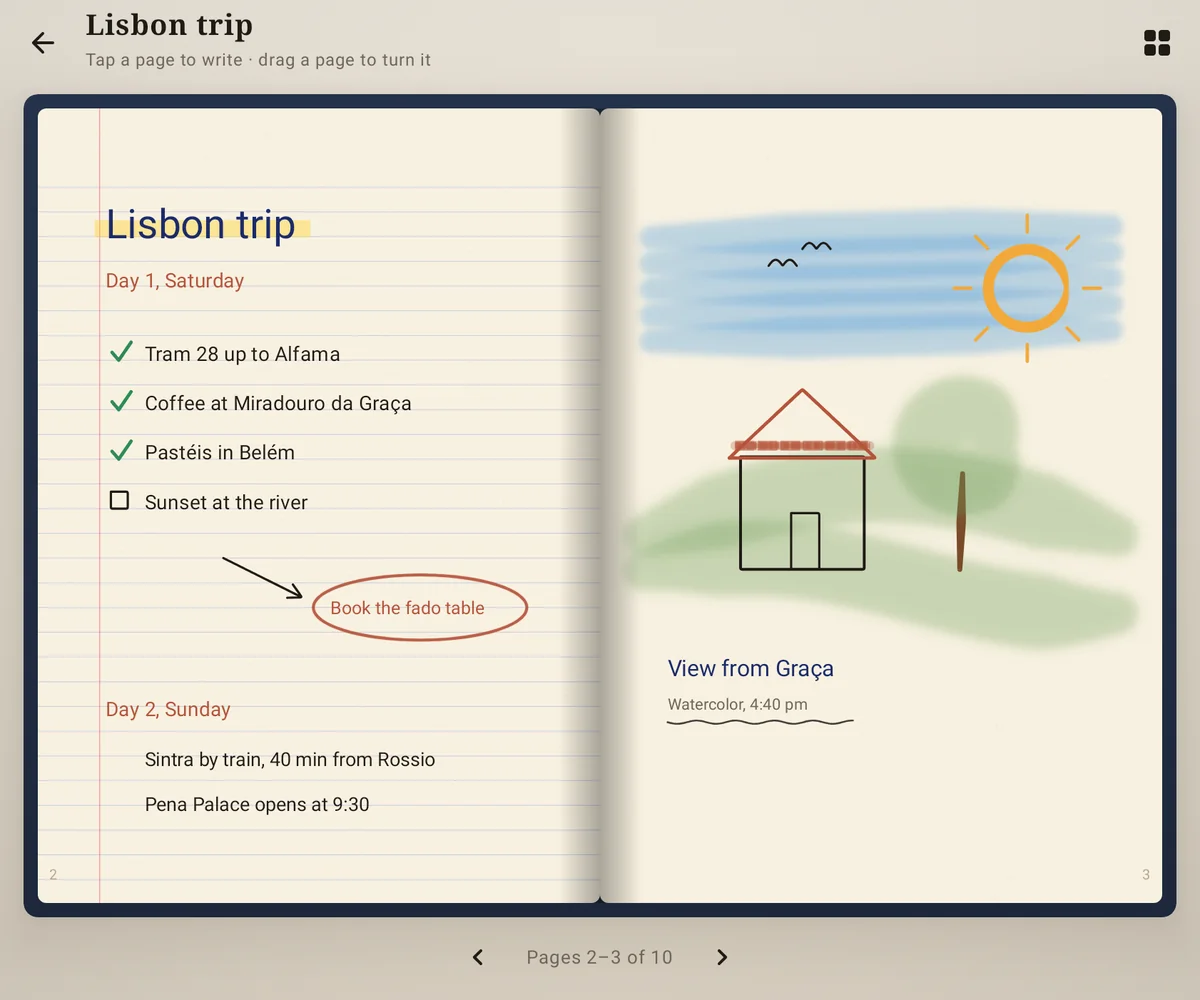
On a tablet in landscape, a notebook opens as two facing pages. Hold a foldable like a book and the pages meet at the hinge; set it down half open and the tools move to the lower half.
From shelf to first page in three taps
Make a notebook
Swipe through your notebooks, or tap plus and pick a cover and a paper: lined, grid, dotted, music, Cornell or blank. It arrives with ten pages.
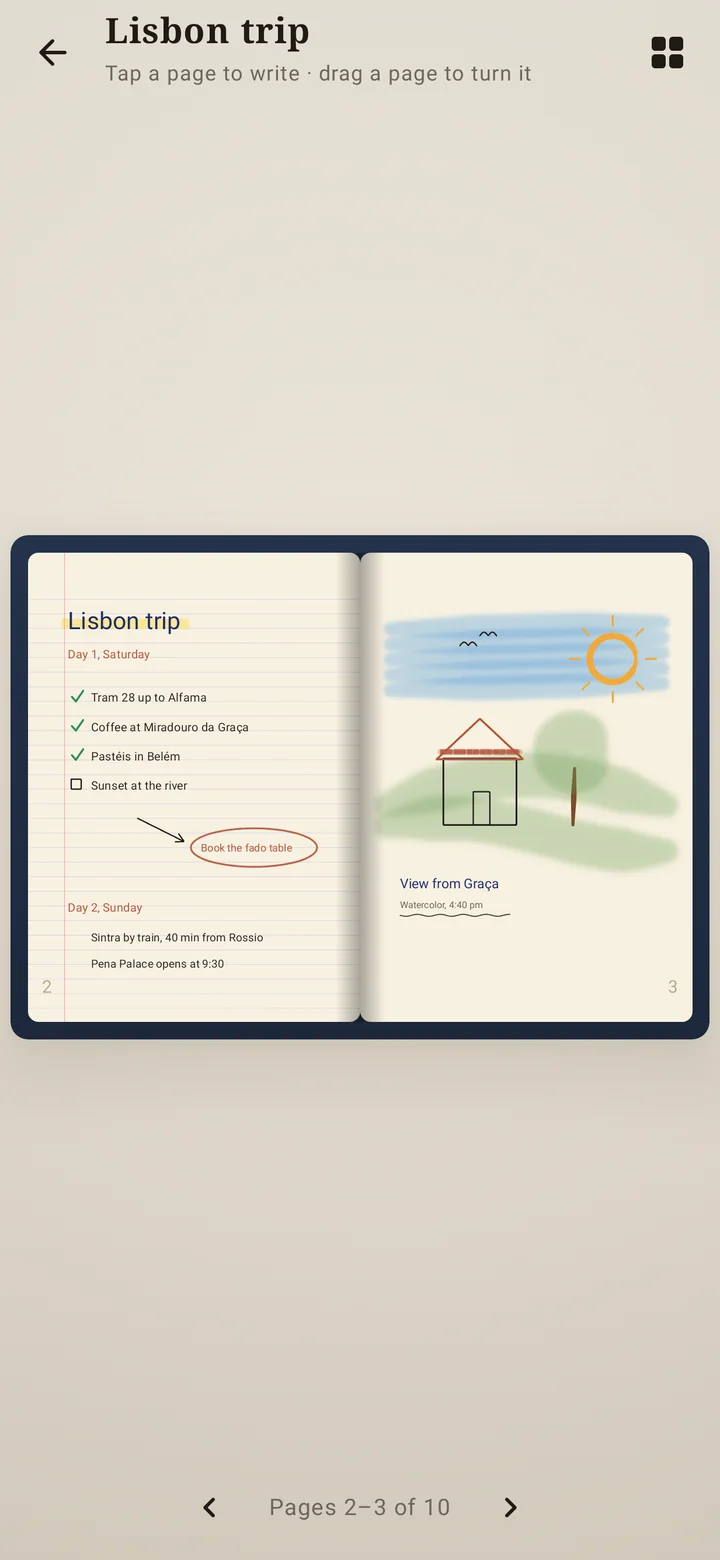
Open it like a book
The cover swings open to two facing pages. Drag a page toward the spine to turn it.
Tap a page and write
The page fills the screen with your pens and colors at the bottom. Turn past the last page to add a new one.
Your notebooks stay yours
No account
There is nothing to sign up for. Notebooks are saved in the app's storage on your device.
Backups where you choose
Save a backup to your Downloads folder or to Google Drive, daily or weekly if you like, and restore it on any phone.
Works offline
Writing, drawing and handwriting recognition all run on your device once the handwriting model is downloaded.
Open source
The code is public under the MIT license, so anyone can check what the app does.
Questions
How much does MK Draw cost?
Nothing. It is free and open source, with no ads and no account.
Which devices does it run on?
Android phones, tablets and foldables running Android 8.0 or newer, and iPhone and iPad with iOS 17 or newer.
Is there an iPhone and iPad version?
Yes. MK-Draw.ipa is one app for iPhone and iPad (iOS 17 or newer) with Apple Pencil support. It is unsigned, so install it with Sideloadly or AltStore, which sign it with your Apple ID.
Do I need a stylus?
No. Fingers work, and MK Draw varies line weight with your speed. A stylus adds pressure and lets you turn on palm rejection.
Does handwriting to text need the internet?
Only once. The first time you pick the handwriting pen, MK Draw asks before downloading the English model, about 20 MB. After that it works offline.
Which languages can it read?
English for now. Ink, shapes and text boxes work in any language.
Where are my notebooks stored?
On your device. Backups go only where you send them: your Downloads folder or your Google Drive.
Can I get my pages out?
Yes. Share any page as an image, or export a whole notebook as a PDF.
How do updates work?
Installed from GitHub, the app checks the project's releases and offers the update for your phone. Crash reports stay on your device unless you choose to share one.
Your next notebook is ten pages away
Free, open source and about 13 MB.